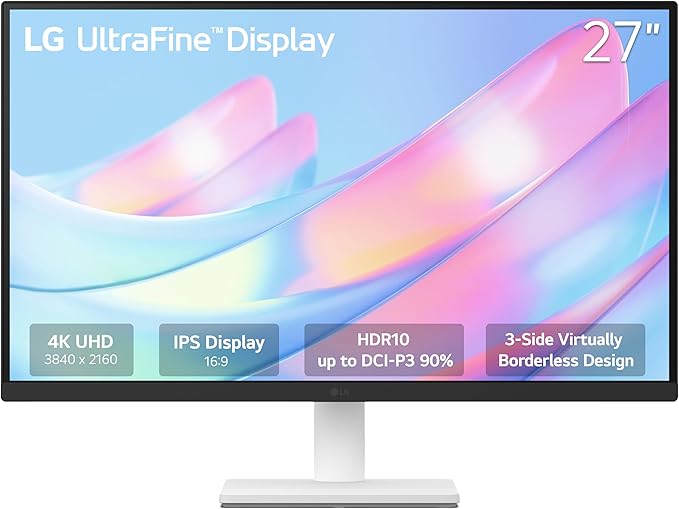
LG 27US500-W Ultrafine Monitor 27-Inch 4K UHD (3840×2160) HDR10 IPS Borderless Design Reader Mode Flicker Safe Switch App HDMI DisplayPort – White
Posted on by xasankaafi hussein
about this item
LG 27US500-W UltraFine™ 27″ 4K UHD Monitor — Key Specs
Display & Performance
- Screen Size: 27 inches
- Resolution: 4K UHD (3840 × 2160) — very sharp detail for work, media, and creative tasks. LG Electronics
- Panel Type: IPS — wide viewing angles and good color reproduction. LG Electronics
- HDR: HDR10 support for improved contrast and richer visuals. LG Electronics
- Color Gamut: ~90 % DCI-P3 — decent color range for general creative tasks. LG Electronics
- Typical Brightness: ~300 cd/m² — suits most indoor lighting conditions. LG Electronics
- Contrast Ratio: ~1000:1 typical. LG Electronics
- Response Time: 5 ms — smooth enough for casual gaming and video. LG Electronics
- Refresh Rate: 60 Hz — standard for productivity and video. LG Electronics
Connec
Design & Features
- 3-Side Virtually Borderless — sleek look with minimal bezels. LG Electronics
- Reader Mode & Flicker Safe — reduces blue light and flicker for extended viewing comfort. LG Electronics
- LG Switch App Support — simplifies screen splitting and layout control. LG Electronics
- Tilt Adjustable Stand (no height/pivot adjustment) — basic ergonomic flexibility. LG Electronics
- VESA Mount Compatible (100 × 100 mm) — can mount on arms or wall mounts. LG Electronics
Use Cases
Great For:
- Office productivity (documents, spreadsheets, browsing)
- Creative work (photo/video editing at 4K)
- Media consumption (movies, streaming)
- Casual gaming and general use
Not Ideal For:
- Competitive gaming (60 Hz and basic motion handling)
- High-end professional color-critical workflows (limited color accuracy vs pro displays)
Notes / User Feedback
- Some users on e-commerce platforms report panel quality variance (e.g., dead pixels or IPS glow). This varies by sample and isn’t universal but worth noting. Amazon India
- On Macs, 4K scaling can feel less sharp without proper HiDPI settings — not a fault of the panel itself.